



GMC warning lights are color-coded for urgency. Red means stop (or act fast). Yellow/amber means caution. Green and blue are just letting you know something's on. Understanding the color is half the battle — the symbol tells you which system needs attention.
GMC Dashboard Symbols
Service Guide · C. Harper Buick GMC · Connellsville, PA
GMC Dashboard Warning Lights Explained: What Each Symbol Means and When to Get Service
A plain-language breakdown of the most common GMC dashboard symbols — what they mean, and what to do next.
Key Takeaways
Red warning lights are urgent — pull over or seek service immediately.
Yellow/amber lights signal caution; most can wait briefly but shouldn't be ignored long.
Green and blue indicator lights are informational — they confirm a system is active, not broken.
A green car symbol (like Super Cruise or lane-keep) means a driver-assist feature is engaged — not a problem.
When in doubt, schedule a diagnostic check — a quick scan can save a big repair bill later.
Understanding the color is half the battle — the symbol tells you which system needs attention.
That little glowing symbol on your GMC's dashboard can go from mildly curious to mildly panic-inducing in seconds — especially when you're not sure what it's trying to tell you. At C. Harper Buick GMC in Connellsville, PA, our service team sees it all the time: customers pulling in with a warning light they've been staring at for a week, wondering if it's serious. Sometimes it is. Sometimes it's just a reminder. Either way, you deserve a straight answer. Here's a plain-language breakdown of the most common GMC dashboard symbols — what they mean, and what to do next.
Understanding the System
What Do GMC Dashboard Warning Lights Mean?
Red — Urgent
Stop or act immediately. Serious risk of damage or safety hazard.
Yellow/Amber — Caution
Address soon. Most can wait briefly but shouldn't be ignored.
Green — Informational
A system is active and working normally. Not a warning.
Blue — Informational
A feature is available or on standby. Not a malfunction.
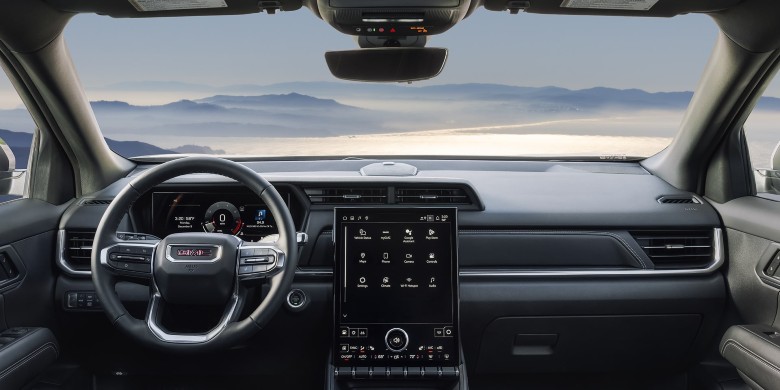
GMC Dashboard · Warning Light System — C. Harper Buick GMC, Connellsville PA
Warning Lights Explained
The Most Common GMC Dashboard Symbols

01
Amber — Solid
Red — If Flashing
Check Engine Light
The check engine light — that little engine outline — is one of the most seen and most misunderstood lights on the dashboard. It can mean something as minor as a loose gas cap or as serious as a failing catalytic converter. It won't tell you which one.
Solid: Schedule service soon. Flashing: Pull over safely and call for service — a flashing light indicates an active misfire that can quickly damage the catalytic converter.
02
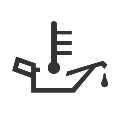
Red — Stop Immediately
Oil Pressure / Oil Level Warning
This light — shaped like an old-fashioned oil can — means your engine isn't getting the lubrication it needs. Low oil pressure can cause serious internal engine damage within minutes.
Pull over and shut the engine off as soon as safely possible. Check the oil level. If it's fine and the light stays on, don't drive — have it towed to the shop.

03
Amber — Service Soon
Battery / Charging System Light
The battery light (a rectangle with + and – symbols) tells you the charging system isn't keeping up. That could be a bad alternator, a failing battery, a loose belt, or a corroded connection. Your GMC may have limited time before it loses power entirely.
Head to the dealership soon — don't wait for this one to go away on its own, because it won't.

04
Red — Pull Over Now
Coolant Temperature Warning
This light looks like a thermometer sitting in water. When it goes red, your engine is overheating — a fast path to a blown head gasket or warped engine components. If yellow/blue, the engine is just warming up — normal and will go off on its own.
Pull over, shut the engine off, and let it cool down. Do not open the radiator cap while it's hot.

05
Amber — Check Sensors
Automatic Emergency Braking (AEB) Disabled
This amber light means your GMC's Automatic Emergency Braking system has been disabled — either manually or because something's blocking the sensor, like ice, mud, or a dirty bumper. AEB is a key safety feature.
Clean the front sensors and check for obstructions. If the light comes back on or won't clear, schedule an inspection.

06
Green — System Active
Forward Collision Alert — Vehicle Ahead Indicator
A car-shaped icon with lines in front of it means the Forward Collision Alert system is active and tracking the vehicle ahead. This is informational — it's telling you the system is working. If it's flashing or paired with an audible alert, you're following too closely.
Back off if flashing. If the light stays on for no obvious reason, the radar sensor may need attention.

07
Green — System Active
Pedestrian Ahead Indicator
This light looks like a walking figure with lines in front of it. Part of GMC's safety suite — it's flagging a pedestrian the system has detected in or near your path. If it becomes a persistent warning rather than a situational alert, the front-facing camera may need attention.
If persistent rather than situational, have the front-facing camera or sensor cleaned or calibrated.

08
Green — Active
Red — Take Over Now
Super Cruise Light
Super Cruise is GMC's hands-free highway driving system. Green means the system is active and monitoring. Blue means it's available but not yet engaged. A green car symbol on the dashboard after activating Super Cruise is normal — it means the system is in control.
A flashing red indicator means the system needs you to take over immediately — act right away.

09
Informational
Driver Attention Assist Light
This icon — usually a steering wheel with a coffee cup — is a nudge to take a break. The system monitors steering patterns and can tell when you might be getting drowsy or distracted. It's not a malfunction; it's a feature doing its job.
Take the hint — pull over, stretch, and take a break before continuing your drive.

10
Red — Do Not Drive
Brake System Warning Light
A red circle with an exclamation mark (or the word BRAKE) is serious. It could mean the parking brake is on — check that first. If the parking brake is off and the light stays red, you may have low brake fluid or a brake system fault.
Do not drive until you know why this light is on. Have it checked immediately.

11
Amber — Service Soon
ABS Warning Light
ABS stands for Anti-lock Braking System. This amber light means the ABS isn't functioning properly — your regular brakes still work, but you've lost the anti-lock assist that helps with controlled stops on slick surfaces. ABS faults are often caused by a bad wheel speed sensor.
Okay to drive short distances, but get it diagnosed soon. A wheel speed sensor is typically a straightforward fix.

12
Amber — Check Now
Tire Pressure Monitoring System (TPMS)
That flat-tire icon with an exclamation point means one or more tires are significantly underinflated. Check all four tires with a gauge. GMC recommends keeping pressure at the spec on the driver's door jamb — not the max PSI on the tire itself. A green car light after a TPMS reset confirms the system reset successfully.
Inflate to spec and drive a few minutes — the light should go off. If it stays on or returns, you may have a slow leak or faulty TPMS sensor.

13
Informational
Low Fuel Light
A gas pump icon means you're getting close to empty — typically around 50 miles of range left, depending on trim and engine. It's not an emergency, but don't make a habit of running it too low. Consistently running on fumes can stress the fuel pump, which relies on fuel to stay cool.
Fill up soon. Avoid making a habit of consistently running near empty.
14
Flashing = Normal
Solid = Check System
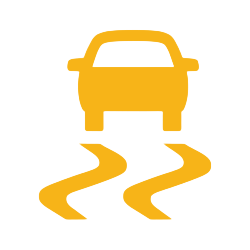
Traction Control / Stability Control Light
This light looks like a car with squiggly lines under it. When flashing, the system is actively working — you're on a slippery surface and it's doing its job. That's normal. When solid, traction control is off or there's a fault. Stability control is one of the most effective active safety features on any GMC — you want it working.
Solid and you didn't turn it off manually? Get it checked. Don't drive without functioning stability control on wet or icy roads.

C. Harper Buick GMC · Certified Service Team — Connellsville, PA
At a Glance
GMC Dashboard Light Quick Reference
| Warning Light | Urgency & Action |
|---|---|
| Check Engine (solid) | Amber Schedule service soon |
| Check Engine (flashing) | Red Urgent Stop driving, call for service |
| Oil Pressure | Red Urgent Stop immediately |
| Battery / Charging | Amber Service soon, limited drive time |
| Coolant Temperature | Red Urgent Stop and let cool |
| AEB Disabled | Amber Check sensors, schedule if persistent |
| Brake System Warning | Red Urgent Do not drive |
| ABS Warning | Amber Schedule service |
| TPMS | Amber Check tire pressure immediately |
| Traction/Stability (flashing) | Normal System working as intended |
| Traction/Stability (solid) | Amber Check system |
| Super Cruise (green) | Normal System active |
| Low Fuel | Informational Fill up soon |
| Driver Attention Assist | Informational Take a break |
"Dashboard lights aren't designed to stress you out — they're designed to keep you informed."
C. Harper Buick GMC Service Team · Connellsville, PACommon Questions
Frequently Asked Questions
What does a green car symbol on a GMC dashboard mean?
A green car symbol typically indicates that a driver-assist feature — such as Super Cruise or lane-keep assist — is active and functioning normally. It's informational, not a warning.
Is it safe to drive with the check engine light on?
If it's solid, you can usually drive short distances to get it checked, but don't ignore it. If it's flashing, pull over safely and have the vehicle towed — a flashing check engine light signals an active problem that can quickly cause engine damage.
Why does the GMC Acadia green car light come on after a TPMS reset?
The green car light that appears after resetting your TPMS simply confirms that the system recalibrated successfully. It's a normal part of the reset process and should go off on its own after driving a short distance.
How do I get a GMC warning light to turn off?
Address the underlying issue first — inflate the tire, tighten the gas cap, top off fluids, etc. Many lights clear on their own after the problem is resolved. Persistent lights after a fix may need a diagnostic scan to manually reset the system.
What's the difference between ABS and the brake system warning light?
The ABS light specifically means the anti-lock braking function is compromised, but your regular brakes still work. The brake system warning light (red) is more serious — it can indicate low brake fluid, a system fault, or that the parking brake is still engaged.
Can I drive with the traction control light on?
If it's flashing, yes — the system is just working as intended on a slippery surface. If it's solid and you didn't disable it manually, have it inspected. Driving without functioning traction control on wet or icy roads significantly increases your risk.
Understanding Your GMC's Dashboard Keeps You Safer
Schedule Service at C. Harper Buick GMC
Most of the time, a quick check — tire pressure, oil level, parking brake — will tell you everything you need to know. But when a light doesn't go away, or when it's red, don't guess.
If a warning light has you second-guessing your next drive, scheduling a diagnostic appointment at C. Harper Buick GMC in Connellsville is an easy next step. Our service team can pull the trouble codes, walk you through what they find, and get you back on the road with confidence. Don't wait for a small issue to turn into a big one — book your service visit today.
Schedule a Diagnostic Appointment
GMC-certified technicians serving Connellsville, PA and surrounding areas.
Schedule Service Contact Us